> For the complete documentation index, see [llms.txt](https://www.ftcwiki.org/llms.txt). Markdown versions of documentation pages are available by appending `.md` to page URLs; this page is available as [Markdown](https://www.ftcwiki.org/intro-to-cad/cad-theory.md).
# CAD Theory
CAD is a digital design tool used to create parts before manufacturing them. While our documentation primarily covers FTC-specific CAD practices, understanding the foundational concepts is essential for getting started with Onshape.
## Starting with a Sketch
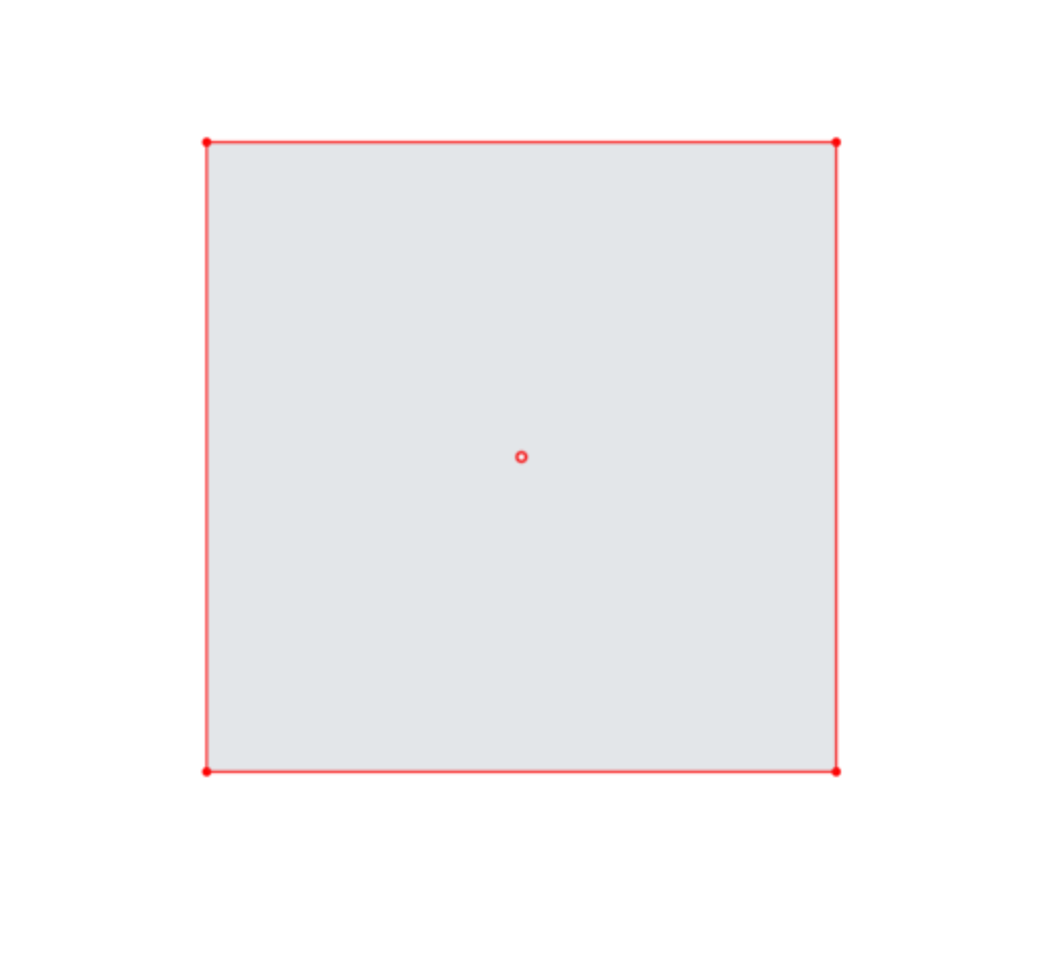
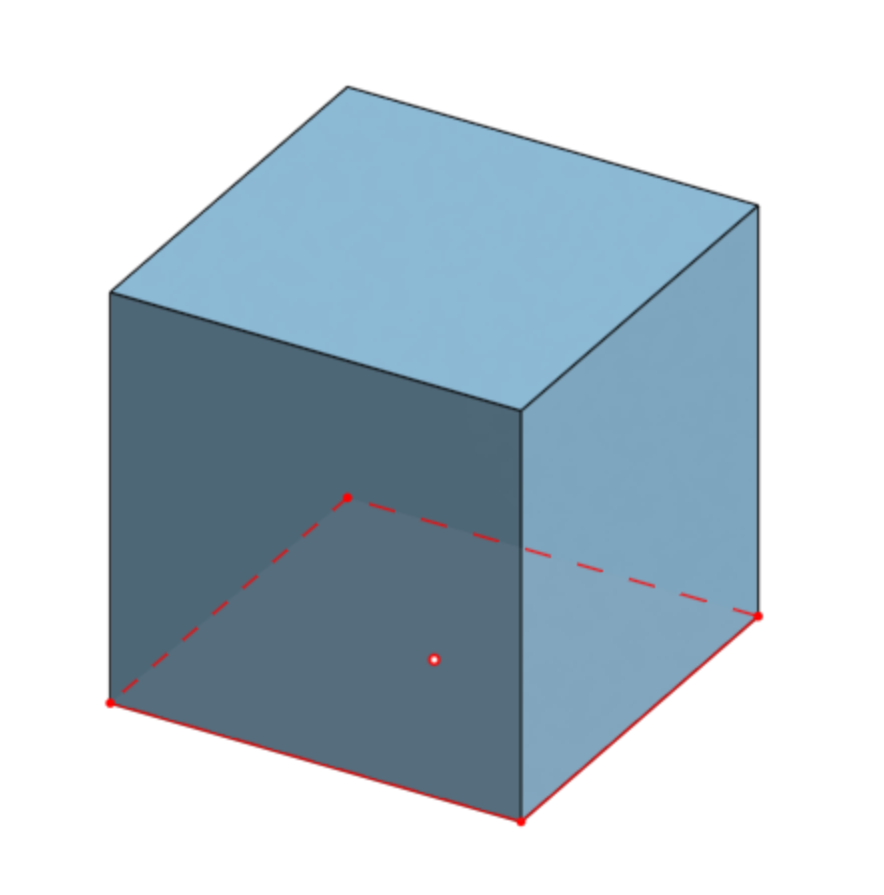
If you wanted to create a cube in Onshape, you would start by representing its profile in a 2D sketch. So, what would the sketch look like for a cube? If you take the section from the plane on top of the cube, which is called the “Top" plane in Onshape, you can see that this sketch is simply a square.
2D Sketch
Cube
## Transitioning from Sketch to 3D
**Creating a Solid Shape**
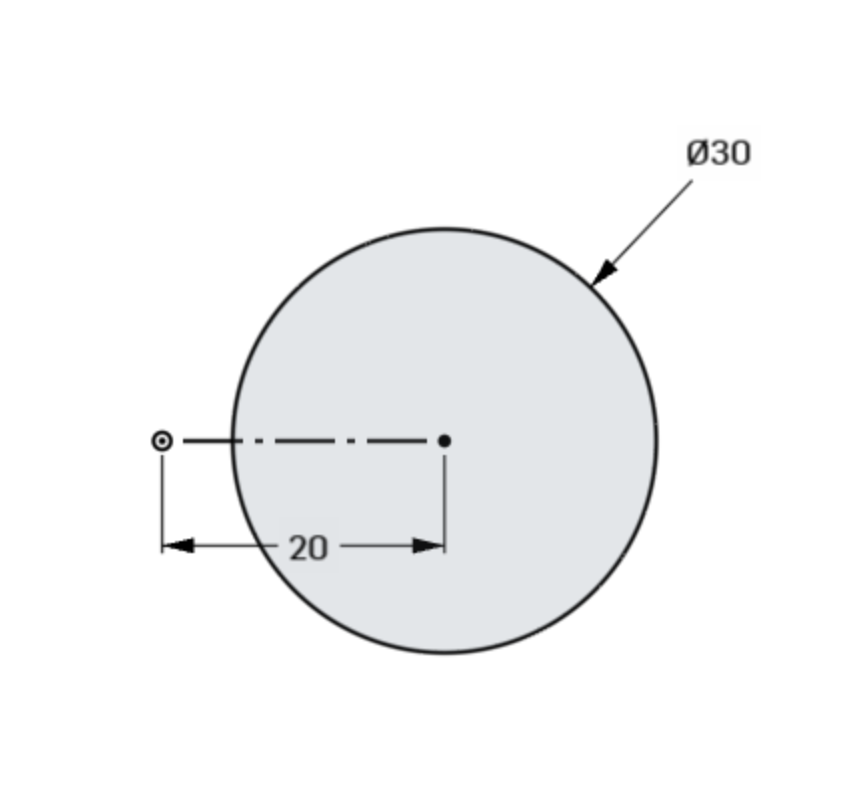
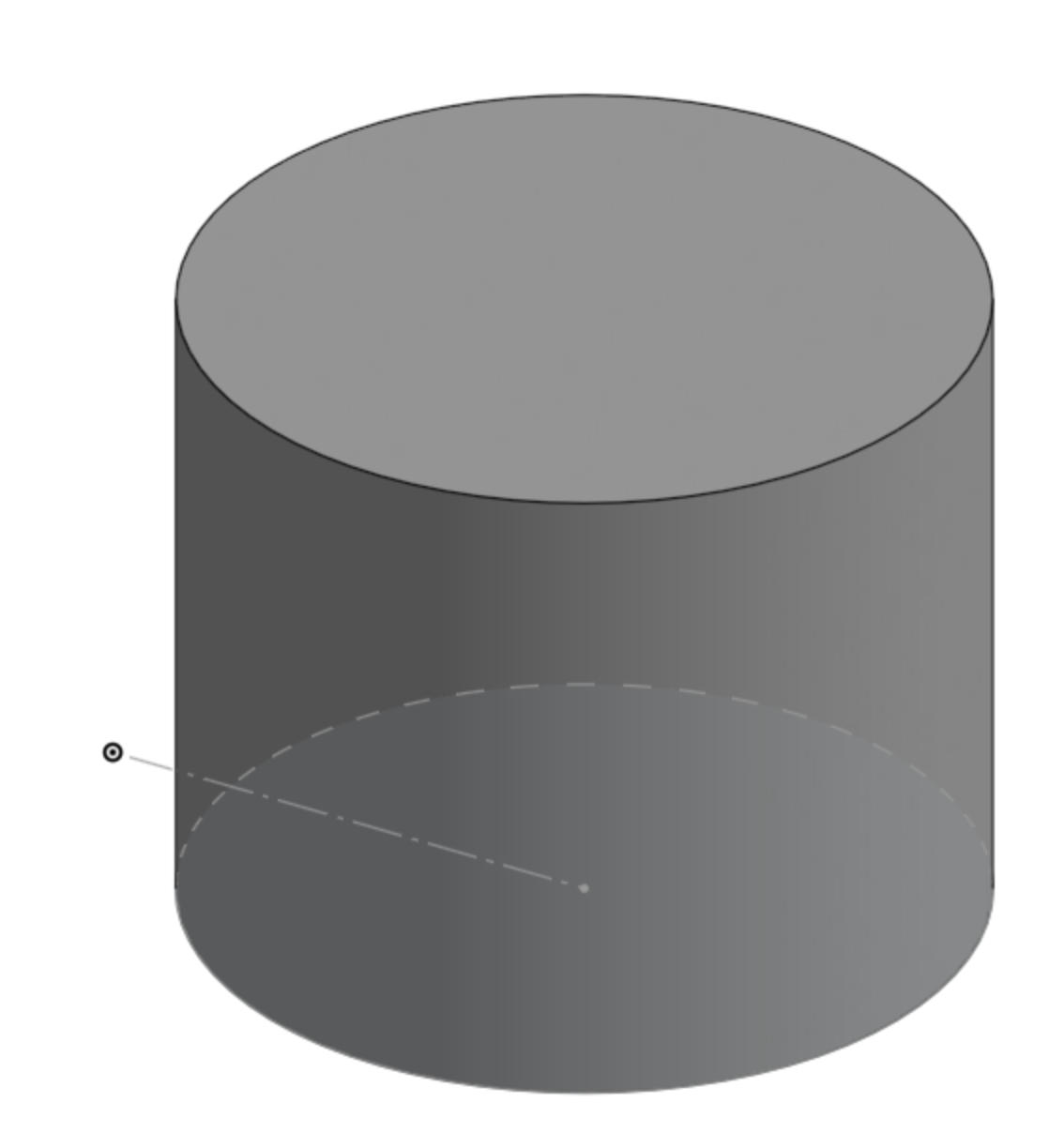
When working in a sketch, you define the fundamental properties of a shape—its position and dimensions. For example, a circle’s location and diameter are determined within the sketching environment. Once you bring this sketch into 3D, these characteristics carry over, establishing the final placement and size of the cylindrical feature in the Part Studio. To ensure consistency and accuracy, it's crucial to fully define sketches. Otherwise, parts may end up with unintended dimensions or placements.
A circle's location and diameter shown in a sketch
The extruded circle having the same location and diameter
**Extruding to Build Volume**
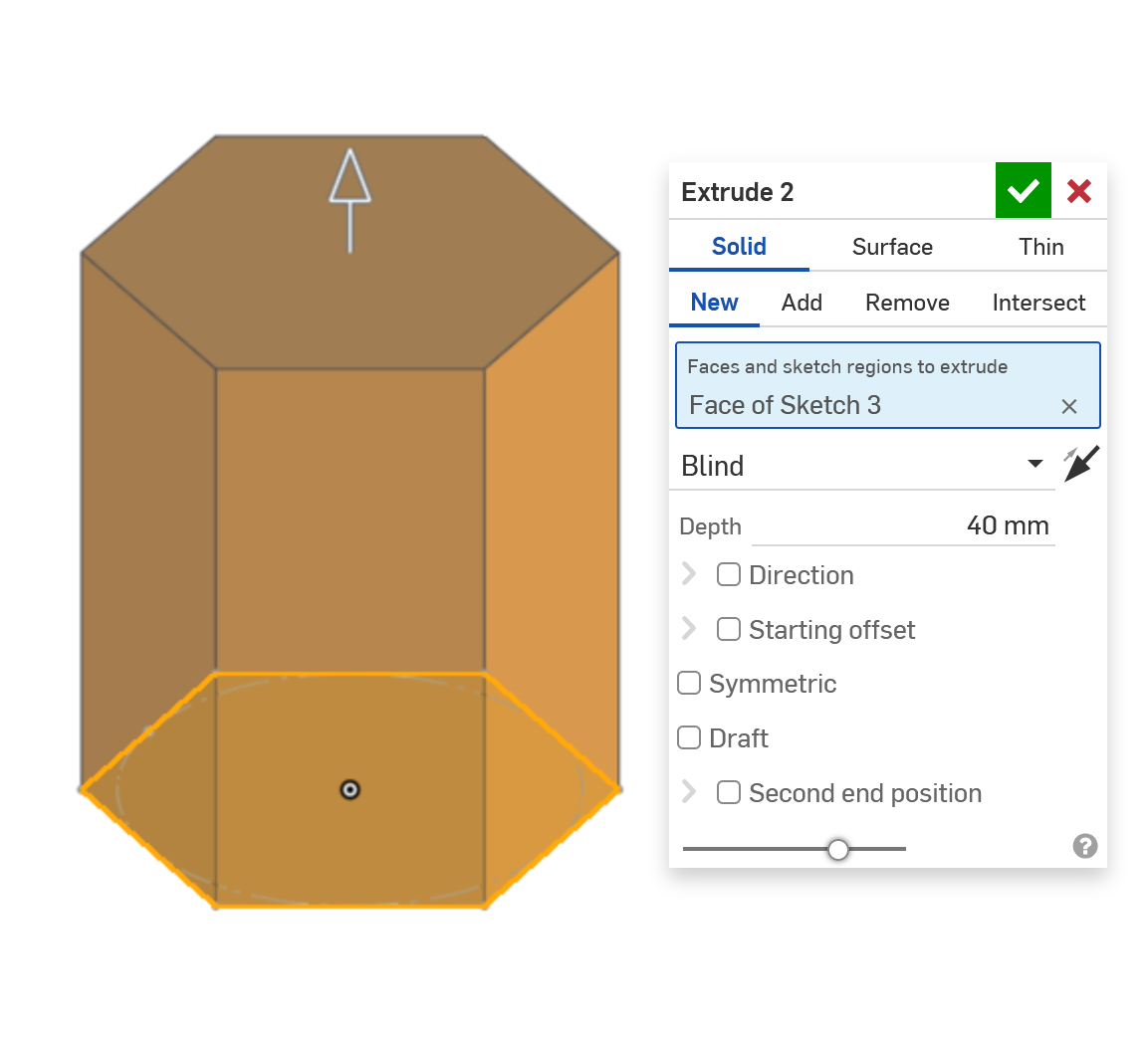
To turn a sketch into a three-dimensional object, you use features. One of the most common ways to do this is with the **extrude** function, which extends a sketch profile into 3D space. Similar to how you define a sketch, an extrude requires specific parameters. For instance, you must set a **depth** (or final height) to determine how far the shape extends. Adjusting these settings allows you to create precise geometry tailored to your design needs.
Extruding a hexagon with a depth of 40mm
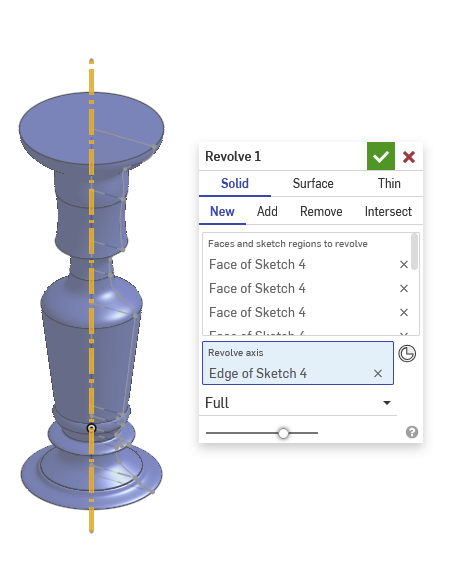
Revolving around a complex shape to create a candlestick
**Alternative Approaches**
Instead of extruding, you can use the revolve feature to create certain shapes, such as a candlestick. This method involves rotating a sketch profile around a central axis, forming a continuous shape. Different modeling techniques exist, and the choice depends on the design intent—whether prioritizing manufacturability, editability, or structural integrity.
Every 3D modeling approach has trade-offs, but understanding how features like extrude and revolve work helps you build designs efficiently and with greater control.\
Let me know if you want this adjusted further!
---
# Agent Instructions
This documentation is published with GitBook. GitBook is the documentation platform designed so that both humans and AI agents can read, navigate, and reason over technical content effectively. Learn more at gitbook.com.
## Querying This Documentation
If you need additional information that is not directly available in this page, you can query the documentation by asking a question.
Perform an HTTP GET request on the following URL with the `ask` and `goal` query parameters:
```
GET https://www.ftcwiki.org/intro-to-cad/cad-theory.md?ask=&goal=
```
`ask` is the immediate question: it should be specific, self-contained, and written in natural language.
`goal` is what the user is ultimately trying to achieve, the reason they need the answer. Sharing it helps GitBook give you a better, more relevant answer. A goal is most helpful when it describes the outcome the user wants rather than restating the question. For example, with `ask=how do I create an API token`, a goal like `automate deployments from our CI pipeline` lets GitBook tailor the answer to that use case.
The response will contain a direct answer to the question and relevant excerpts and sources from the documentation.
Use this mechanism when the answer is not explicitly present in the current page, you need clarification or additional context, or you want to retrieve related documentation sections.